Month: June 2021

  • I Went to the Banksy Exhibition in Nagoya

    I Went to the Banksy Exhibition in Nagoya

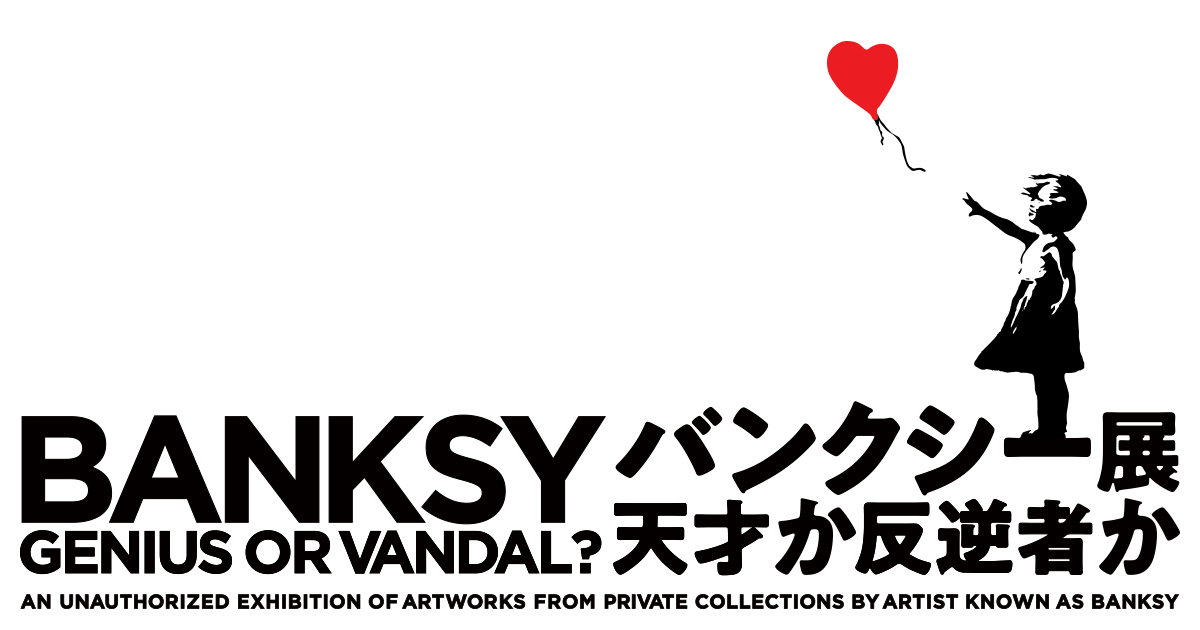
    I went to see “The Art of Banksy: Genius or Vandal?”
    The exhibition runs in Nagoya from February 3 to June 20, and in Fukuoka from July 2 to October 31.

    The exhibition’s website is here

    Banksy is an anonymous artist based in the UK, and works attributed to Banksy can be found scattered all over the world.

    I didn’t know much about Banksy, but when I learned that he was a street artist who paints satirical images symbolizing criticism of society all over the world, I became curious about what kind of person he is and what kind of work he makes, so I went to see the exhibition.

    Photography was allowed for every work in the exhibition, and everyone who came to see it was taking pictures with their smartphones.

    This time, in order to see Banksy’s works themselves without preconceptions, I decided to look at the works as directly as possible, avoiding the explanatory texts.

    Having seen it all the way through, my impression is that, if I had to answer the exhibition’s question, Banksy is both a genius and a vandal.
    That said, while I agree that Banksy is a genius, the label of “vandal” felt a little off to me.

    This is just my personal take, but Banksy seems to feel a kind of sadness toward society and the world.
    People have lost sight of what it means to be human, and are tossed about by the world and swallowed up by consumer society.
    The strong fail to notice the weak, widening the gap even further.
    And he seems angry that people never question the things they take for granted.

    That’s the impression I got.
    Because he is a genius, he has come to see the true nature of the world.
    But since he couldn’t change the world even by becoming a politician, he appeals to the world as an artist instead.

    Since I know almost nothing about Banksy, I have no idea whether this reading is right.
    I may be completely off the mark.

    Still, while I felt a strong will in the works, I didn’t sense the violent side that the word “vandal” implies. What came through was sadness and Banksy’s own strong conviction—and perhaps to conceal that, or perhaps out of humor, it is expressed in the form of satirical images.

    Honestly, for nearly half of the works I had no idea what they were trying to say.
    But with the other half, something came through to me naturally.

    It is precisely because Banksy is a genius that he can create critical satirical images with humor.
    I also thought his technical skill as a painter was outstanding.

    I myself have things I want to criticize about society and things I want to speak out about, and perhaps those feelings overlapped with Banksy’s works and led me to interpret them this way.

    I think anyone who looks at Banksy’s work will feel something.
    I’m very curious how Banksy’s works look through your eyes.

  • Trouble with a Mercari Transaction: A Third Solution — the Partial Refund

    Trouble with a Mercari Transaction: A Third Solution — the Partial Refund

    Trouble is almost inevitable when buying and selling on Mercari.
    I’ve done over 100 transactions myself, and the other day I ran into my first real problem.

    What I bought was a coffee machine, and some of its functions didn’t work.
    When I contacted the seller, they said they had checked that it worked properly before listing it and had had no problems using it.

    Mercari’s FAQ has an entry titled “The item I received is different from the description / is broken.”
    However, it basically says that the seller and buyer should discuss the matter between themselves, and for returns it describes agreeing on who pays the return shipping and then cancelling the transaction.

    In other words, the transaction guide makes it feel like your only options are to return the broken item or accept it as is.

    Depending on the item, though, only some functions may be broken while everything else works fine.
    And if those functions aren’t that important to you,
    there are times when you’d rather not pay full price but would be happy with a discount.

    In that case, you can arrange a partial refund.
    You can’t do it unilaterally, but if you reach an agreement with the other party you can contact Mercari’s support office.

    In my own case, I proposed a partial refund and sent an inquiry to the support office.
    They replied that the buyer and seller should decide the refund amount between themselves and then contact them again through the inquiry form with that amount.

    Once we agreed and settled on a refund amount, I reported it, the partial refund went through without a hitch, and the transaction was completed.

    The support office responded very quickly—from the time I told them I wanted to arrange a partial refund, it took only about a day to decide the amount and receive the refund.

    Problems on Mercari can happen no matter how careful you are.

    When something goes wrong in a transaction on Mercari, you have to negotiate with the other party and settle it there; the lack of a fixed protocol or procedure on Mercari’s side was quite confusing at first.
    In my case the other party was very reliable, so resolving the issue went very smoothly.

    Apparently, if you can’t get in touch with the other party, you can also have the transaction forcibly closed by contacting Mercari’s support office.

    Incidentally, for the coffee machine I bought, I was refunded about 40% of the purchase price.
    But after the transaction closed, I took it apart to see if I could fix it and found a water leak, so I decided it was dangerous to use and threw it away.

    In hindsight, maybe I should have just returned it…

  • Extracting Specific Values from a DataFrame [Python]

    Extracting Specific Values from a DataFrame [Python]

    Extracting one specific value from a pandas DataFrame in Python is surprisingly tricky.
    DataFrames are designed to be handled as DataFrames, so extracting, slicing, or appending rows is very easy.

    When you try to pull out a single value, however, for some reason you don’t get the value itself—you end up with a DataFrame, along with various other issues.

    Here I describe how to extract the value in a DataFrame that satisfies a particular condition.
    There may well be better approaches, but this is the best I can do at the moment.

    Suppose we have the DataFrame below and want to extract the value 20 outlined in red.

    The problem is that with a simple DataFrame like the one above you can see the index and pull the value out in one step, but with a large dataset it is very hard to check the index number and use it.

    With large amounts of data, it is more efficient to extract values using a key column (customer number, id, etc.) as a clue.
    So let’s try extracting the value in the situation below.

    In other words, we want to extract the value in column B for the row where column A is Aichi.
    This cannot be done in a single step; the value is extracted in two stages.

    First, create a DataFrame like the one above.

    import pandas as pd
    df = pd.DataFrame({ 'A' : ["Tokyo", "Aichi", "Osaka"],
                        'B' : [10, 20, 30],
                        'C' : [100, 200, 300]})
    df

    Next, extract the row where column A is Aichi.

    a = df[df["A"] == "Aichi"]
    
    print(a)

    This lets us extract the row containing Aichi.
    Finally, extract the value in column B of that row.

    b = a.at[a.index[0], "B"]
    
    print(b)

    Doing this, we can extract the value.
    It is roundabout, but this is the method I currently use.

    If you know of another approach, I would be glad to hear about it in the comments.

    import pandas as pd
    df = pd.DataFrame({ 'A' : ["Tokyo", "Aichi", "Osaka"],
                        'B' : [10, 20, 30],
                        'C' : [100, 200, 300]})
    
    a = df[df["A"] == "Aichi"]
    b = a.at[a.index[0], "B"]
    print(b)

    Here is a summary of the program above.

  • try and except: Exception Handling in Python

    try and except: Exception Handling in Python

    Errors sometimes come up when you are writing a program in Python.
    Errors are actually helpful, since they tell you that your program has not been put together correctly,
    but sometimes an error will stop your program from running altogether.

    Sometimes code that is syntactically correct still raises an error at runtime.
    An error raised when the syntax is grammatically incorrect is called a syntax error,
    while an error that is grammatically correct but logically wrong is called an exception.

    Some examples of exceptions:
    TypeError: the operands are of incompatible types
    EX. word/2 , 4*number

    ZeroDivisionError: division by zero
    EX. 3/0

    ValueError: the type is correct but the value is not appropriate
    EX. int(“string”)

    You can use conditional branching to head off errors before they happen and write a logically correct program, but you can also take the approach of handling the exception when an error does occur.

    That is where try, except comes in.

    try: 
        実行したい処理(例外を含むかもしれない)
    except エラー名:
        例外発生時に行う処理

    You use it like this.
    For example,

    try:
        print(10 / 0)
    except ZeroDivisionError:
        print('できませんでした')
    #出力
    できませんでした

    That is the result.
    Note, however, that except only catches the error you specify
    (in this program, only ZeroDivisionError), so if any other error occurs it will still be reported as an error when the program runs.

    When you expect more than one kind of error, add another “except ErrorName:” clause.

    try:
        print(10 / 0)
    except ZeroDivisionError:
        print('できませんでした')
    except ValueError:
        print('値がうまく合致しませんでした')

    You can specify multiple except clauses.

    If you leave out the exception name entirely in the except clause, you can catch every exception.

    try:
        print(10 / 0)
    except:
        print('できませんでした')

    Be very careful with this, though: because it catches every exception, it will also hide errors the programmer never anticipated.

    There are also keywords related to the try-except syntax that let you specify what happens after an exception occurs.
    I will list them briefly here.
    I plan to cover them in detail in another blog post.

    • raise: deliberately raise an exception
    • pass: do nothing after the exception occurs
    • else: run only if no exception occurred
    • finally: always run, whether or not an exception occurred