This article was automatically translated from Japanese using AI. The Japanese version is the authoritative version.
Once you join a lab, chances are you’ll be asked to present a paper at a journal club sooner or later.
The format of journal clubs varies from lab to lab, but in many cases you’re expected to find a paper yourself, read it yourself, and present it.
Even outside of journal clubs, doing research means getting to know the prior literature, so you’ll be searching for papers a lot.
Here I’d like to introduce some tools that come in handy for that.
Google Scholar
The first one is Google Scholar.
It’s so well known that there’s probably not a single researcher who hasn’t heard of it.
Basically you search just as you would on Google, but everything that comes up is literature—papers, books, and so on.
Since it’s the tool you reach for when you just want a rough look at the literature, I suspect it’s the most widely used search tool of all.
I use Google Scholar too: I throw in some rough keywords and use the results as a first screening pass.
The flip side of being good for broad searches is that there aren’t many options for narrowing things down.
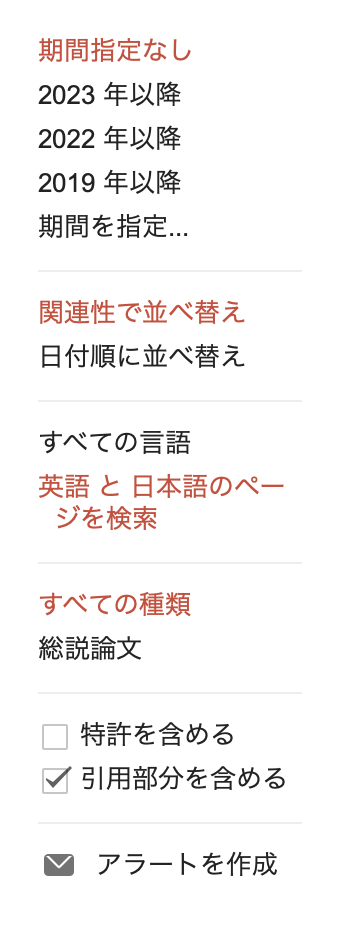
Still, the main filters are there—publication date range, relevance, and so on—so it covers most needs.
And when you want to restrict the search to a particular journal, you can just put the journal name in the keywords; it really works the same way as a Google search.
PubMed
The next one is PubMed.
PubMed is probably the best-known literature search tool in the life sciences.
What’s impressive about it is the sheer number of ways you can search.
Author, journal, editor—you can search by just about any field you can think of.
It’s an extremely useful tool when you already know the journal, the author, or whatever other details you want to search by.
Web of Science
The last one I’ll introduce is Web of Science.
It’s a paid service in principle, but if you’re affiliated with a university you can generally access it through the campus wifi, so students can use it for free.
Where this tool really shines is that it lets you look up what’s known as the impact factor (IF).
The IF is a kind of journal ranking—a number that indicates how strong a given journal is.
You can find impact factors by googling “journal name IF” as well, but the numbers you get are often not the official ones.
Web of Science is the source that officially issues IFs, so you can find the correct value there.
I use Web of Science as my IF lookup tool when deciding which journal to submit to, or when I want to gauge how impressive one of my advisor’s papers is.
Closing thoughts
Google Scholar is what I use most of the time, but knowing about the other tools comes in handy when you need to look something up in a specific way.